Bezobsługowa komunikacja ze sprzedawcą przy korektach
Korekty w KSeF bywają kłopotliwe: brak powiadomień i złożone powiązania z fakturą źródłową utrudniają wykrycie błędu, jego zakresu i właściwe rozliczenie.
KSEFEO wysyła do sprzedawcy ustrukturyzowaną prośbę o korektę (z terminem i przypomnieniami).
KSEFEO automatycznie łączy korektę z oryginałem, weryfikuje logikę i kwoty, pokazuje czytelny „przed → po”, a następnie kieruje sprawę do właściwej osoby z przypomnieniami i szybkim „Akceptuj/Odrzuć z powodem”.

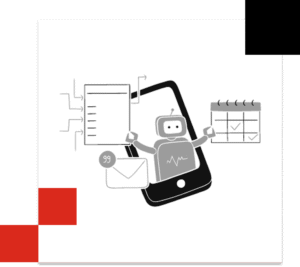
Inteligentna, automatyczna obsługa korekt
Klient wybiera powód odrzucenia, system wysyła e-mail
System wymaga podania powodu odrzucenie przez klienta. Możliwe powody to:
DANE I FORMALNOŚCI
-
- Nieprawidłowe dane kontrahenta — nazwa/adres niezgodne z rejestrem
- Zła data sprzedaży / wystawienia/termin płatności – niespójne lub niezgodne z dostawą
- Duplikat -kwota + data pokrywają się z istniejącą.
KWOTY i VAT
-
-
- Zawyżona/zaniżona cena lub ilość – niezgodna z dostawą/umową/ofertą
- Błędna stawka VAT – nieodpowiednia dla towaru/usługi.
-
ZGODNOŚĆ Z ZAMOWIENIEM
-
-
Brak numeru PO/zamówienia – wymagane w procesie zakupowym.
-
Niezgodność z PO – ceny, ilości, indeksy materiałów, warunki dostawy.
-
Nieautoryzowany zakup – brak akceptacji/kontraktu dla tej kategorii wydatku.
-
PŁATNOŚCI I RACHUNEK
-
-
-
Niezgodny IBAN – rachunek spoza białej listy lub inny niż w umowie.
-
Nieprawidłowe warunki płatności – termin/skonto niezgodne z ustaleniami.
-
-
SPERSONALIZOWANY POWOÓD
Liczby mówią same za siebie
0
Dodatkowych programów i aplikacji do nauki
50%+
Oszczędność czasu i kosztów – gwarantowana
100%
Gwarancja zwrotu pieniędzy w przypadku braku efektów
7
Średni zwrot z inwestycji (miesiące)
Automatyzacja komunikacji ze sprzedawcą przy korektach – kluczowe korzyści
Szybsze domykanie korekt
gotowe szablony emaili skracają czas od zgłoszenia błędu do poprawnej faktury
Automatyczne przypomnienia i eskalacje
pilnowane przez system (e-mail + SMS), brak „zaginionych” spraw.
Jasne powiązanie z oryginałem
korekta zawsze spięta z fakturą źródłową (ID, pozycje, daty)
Mniej błędów i nieporozumień
standaryzowane komunikaty (co, gdzie i dlaczego), załączone dane z KSeF.
Pełny ślad audytowy
kto, kiedy, co wysłał i co odpowiedział sprzedawca.
Bez nowego oprogramowania. Bez szkoleń. Bez zakłóceń.
Nasze podejście jest stworzone dla firm, które chcą ulepszać – a nie zastępować – swoje obecne systemy AR.
To po prostu szybsze i mądrzejsze procesy dzięki automatyzacji, która działa cicho w tle.

Skorzystaj z BEZPŁATNEGO demo KSEFEO
Wypróbuj KSEFEO – najszybszą drogę od faktury KSeF do akceptacji i księgowania
Najczęściej zadawane pytania - Komunikacja ze sprzedawcą
1 Jak KSEFEO kontaktuje się ze sprzedawcą?
E-mailem (domyślnie) i opcjonalnie SMS-em z linkiem do szczegółów korekty. Wiadomości są oparte na szablonach i zawierają powód korekty oraz dane faktury.
2 Czy odpowiedzi sprzedawcy trafiają do systemu?
Tak. Odpowiedzi e-mail są automatycznie wątkiem przy danej fakturze/korekcie, więc cały kontekst masz w jednym miejscu.
3 Czy mogę dodać własny tekst do prośby o korektę?
Tak. Dopisujesz komentarz jednorazowo przed wysyłką.
4 Kto jest nadawcą e-maili?
Domyślnie noreply Twojego klienta (można ustawić własną domenę). System wspiera SPF/DKIM, by zwiększyć dostarczalność.
5 Czy mogę wysłać dodatkowe przypomnienie ręcznie?
Tak — jednym kliknięciem z karty faktury/korekty.
6 Co jeśli sprzedawca zmieni adres e-mail lub nie odbiera?
Aktualizujesz kontakt w kartotece dostawcy; system spróbuje alternatywny adres i może wysłać SMS. Niewysłane/odbite maile widać w logach.
7 Czy komunikacja jest rozdzielona: wewnętrzna vs zewnętrzna?
Tak. Komentarze wewnętrzne (dla zespołu/klienta) są oddzielone od komunikacji do sprzedawcy.